
Battery Backup vs Cellular Backup:
Why Your POS Didn’t Work During a Power Outage
With the recent windstorms across Ohio, many businesses lost power, internet, or both.
During that time, we had several customers reach out with the same question:
“We have cellular backup… why isn’t our POS working?”
It’s a completely understandable assumption. But it highlights a common misunderstanding.
Cellular Backup=Internet
Cellular Backup: What It Actually Does
Cellular backup is designed to solve one specific problem:
Loss of internet.
If your primary internet goes down, your POS system can switch to a cellular connection so you can continue processing transactions.
That’s it.
It does not power your system. It does not keep devices running.
It only replaces your internet connection.
Cellular backup runs through your modem or network equipment, which also requires power. Without power, there is nothing running to provide that backup connection.
Battery Backup: What It’s For
Battery backup is what helps when power is lost.
A battery backup (UPS) can temporarily keep key equipment running, such as:
POS terminals
Routers
Network equipment
This allows you to continue operating briefly when the power goes out.
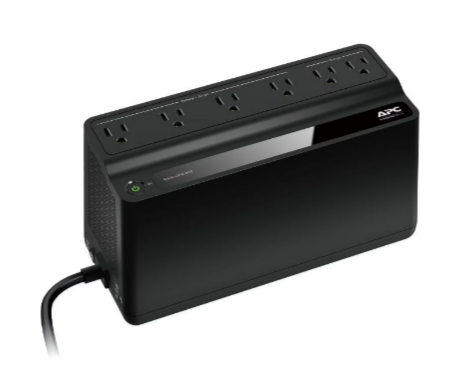
Battery Backup=Power
But Here’s the Important Part
Battery backup is not a long-term solution.
It is not designed to keep your business fully running through an extended outage.
It is meant to buy you time.
Time to:
Finish transactions
Close out tickets
Shut systems down properly
Most setups include a battery backup for each terminal or piece of critical equipment. How long your system stays up depends on the battery, how much equipment is connected, and how many units you have in place.
In many cases, that window is short.
What About “Offline Mode”?
Some POS systems do offer a temporary offline mode, which allows you to continue taking card payments even if your internet connection is down.
However, there are a few important things to understand:
Offline mode still requires your system to have power
Transactions are not processed immediately
Payments are stored and run later once the connection is restored
There is some level of risk, such as declined cards after the fact
Offline mode can be helpful in certain situations, but it is not a full backup solution.
Why Systems Stopped Working During the Storms
Many businesses had cellular backup in place, but no power.
No Power=No System
Without power:
Terminals cannot turn on
Routers cannot run
The system cannot communicate
So even though the cellular connection was available, there was nothing running to use it.
No power means no POS system.
In Simple Terms:
Cellular backup and battery backup solve two completely different problems:
Cellular backup = internet backup
Battery backup = temporary power
Both can help in certain situations, but only for a limited time.
Final Thoughts
Power outages are unpredictable, but how your system responds to them doesn’t have to be.
Understanding the difference between cellular and battery backup is a simple but important part of being prepared. When your system is set up correctly and your team knows what to expect, issues like this become much easier to manage.

330,633.1221
At Hospitality Control Systems, we don’t just install POS systems. We help businesses think through real-world scenarios like outages, setup, and day-to-day operations so their system works the way it actually needs to when it matters most.
If you’re unsure how your current setup would perform during an outage, it may be worth taking a closer look before the next one happens. And if you’re exploring new options, we’re here to help you get set up the right way from the start.