
Square POS for Retail Businesses:
Part One: From Stockroom to Checkout
Retailers need more than a way to ring up purchases.
Products must be organized, inventory needs to stay accurate, new merchandise has to be ordered and received, and employees need to complete sales and returns without slowing down the customer.
Square can connect that entire process.
For boutiques, gift shops, bookstores, specialty food stores, garden centers, beauty supply stores, pet shops, sporting goods stores, and many other retailers, Square can become the system that connects the stockroom to the checkout counter.
Build a Product Catalog That Makes Sense

Scanning inventory
Square allows retailers to organize products by category and create variations for details such as size, color, style, or material. Each variation can have its own price, cost, SKU, barcode, and stock count, so every version of a product can be tracked accurately.
Products can be entered individually, imported in bulk, or created by scanning supported GTIN barcodes. Square can also generate missing SKUs, print barcode labels with compatible equipment, and remove backgrounds from product images.
With the appropriate plan and setup, retailers can create bundles, schedule product availability, use location-specific pricing, and control which products appear in the store, online, or at a particular location.
Know What Is in Stock and What It Costs
Every tracked sale adjusts the available quantity of the product sold. Inventory can remain connected across the point of sale, Square Online, qualifying invoice sales, and multiple locations.
Retailers can:
View stock by item, variation, category, vendor, or location
Receive merchandise individually or in bulk
Set low-stock alerts
Record damage, theft, loss, returns, and other adjustments
Perform full inventory counts or smaller cycle counts
Scan products with a barcode scanner or device camera
Compare physical counts with the quantity Square expected
Transfer merchandise between locations and track it in transit
Convert inventory when products are received and sold in different units
Square can also track unit costs and display profit margin while merchandise is received. If a vendor’s cost increases, the retailer can see whether the selling price still makes sense before the product reaches the shelf.
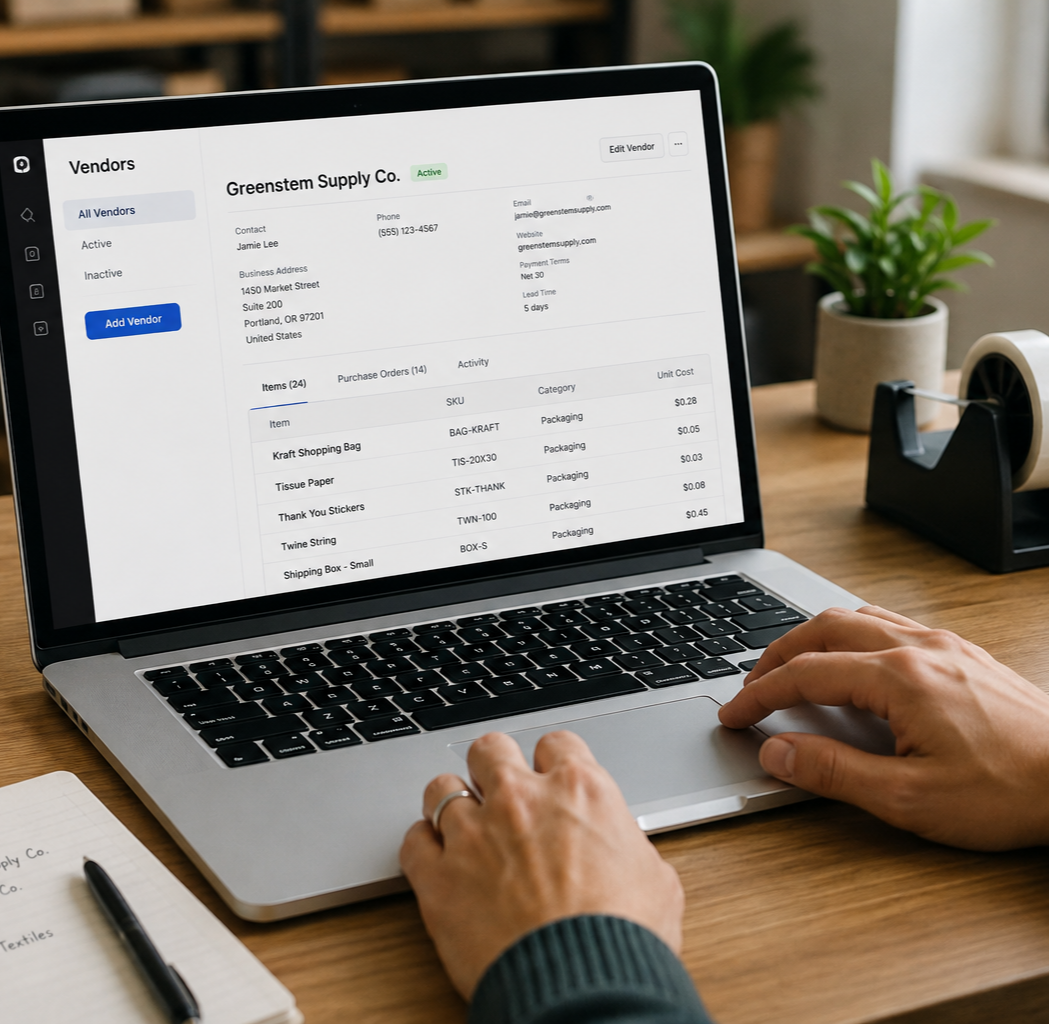
Creating vendor profiles
Connect Vendors and Purchase Orders
Advanced inventory tools carry the process into purchasing.
Retailers can create vendor profiles, associate products and costs with each vendor, build or import purchase orders, email orders to vendors, and record full or partial deliveries. Receiving an order updates inventory without entering the same products again.
This connects purchasing with product costs, freight or receiving expenses, vendor performance, and actual sales. Buying decisions no longer have to depend on memory or a collection of unrelated spreadsheets.
Make Checkout Faster Without Losing Control
Employees can use a customizable item grid, search by name or SKU, or scan a barcode. Square accepts major cards, contactless payments, digital wallets, cash, checks, Square Gift Cards, Cash App Pay, and Afterpay where eligible.
Retailers can create discounts, save a customer’s cart while they continue shopping, issue full or partial refunds, process exchanges, and return eligible products to inventory. Depending on the plan and setup, businesses with multiple stores can also support cross-location returns.
Specialized options include age-verification prompts, bottle deposits, and SNAP/EBT payments for approved retailers using supported devices.
Individual passcodes and permissions let owners control who can change prices, apply discounts, issue refunds, manage inventory, view reports, or access customer information. Supported devices can also store eligible offline card payments during a temporary disruption, although offline payments carry restrictions, time limits, and additional risk.
Hardware That Fits the Store
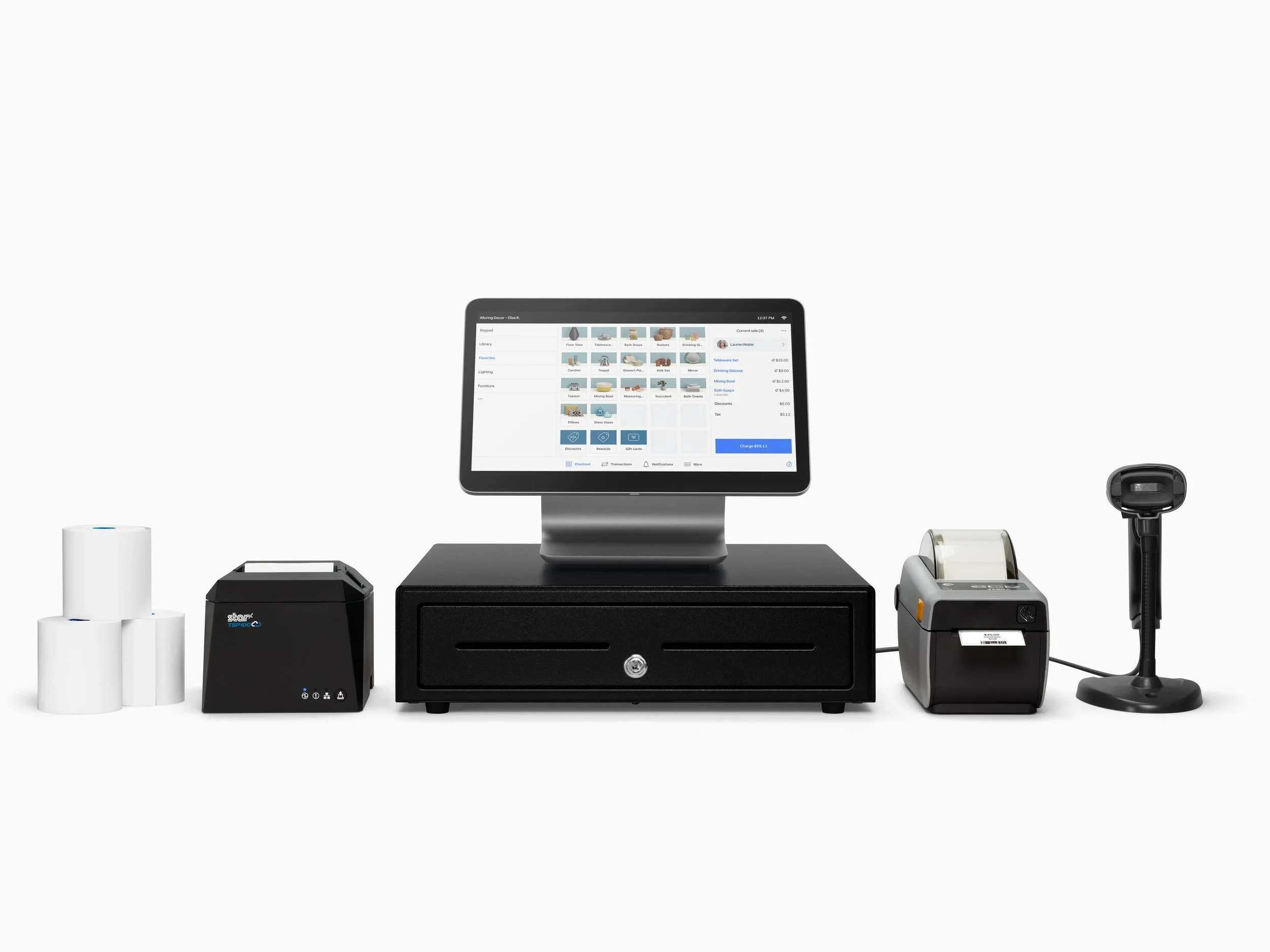
Complete Countertop System
Square Register offers a complete countertop system with separate seller and customer displays. Square Stand creates an iPad-based counter setup, while Square Terminal provides compact checkout with a built-in receipt printer. Square Handheld combines mobile payments, product scanning, and inventory work. Square Reader and Tap to Pay support simpler counters, events, and pop-up sales.
Compatible barcode scanners, label printers, receipt printers, cash drawers, and scales can be added where needed. The right setup should reflect the store’s size, layout, inventory, and checkout volume.
Square, Set Up Around Your Retail Business
Square is approachable, but products, variations, SKUs, barcodes, vendors, costs, taxes, discounts, permissions, inventory rules, and hardware still need to reflect how the store actually operates.

330.633.1221
Hospitality Control Systems helps retailers choose the right Square plan and equipment, build and organize the system, install the hardware, train the team, and provide ongoing 24/7 local support.
Ready to go beyond the checkout? In Part Two, we look at how Square connects online selling, reporting, customer engagement, employee management, cash flow, and long-term growth.
Technology backed by people who care.